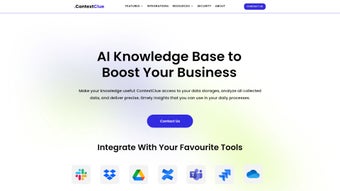

Download Context Clue – KI‑gestütztes Dokumenten‑Zusammenfassungstool
Overview
In der heutigen informationsüberfluteten Welt kann das stundenlange Durcharbeiten langer PDFs, Excel‑Tabellen oder Word‑Dokumente die Produktivität lähmen. Context Clue greift als web‑basiertes, KI‑gesteuertes Dokumenten‑Zusammenfassungstool ein, das sperrige Dateien innerhalb von Sekunden in prägnante, leicht verdauliche Erkenntnisse verwandelt. Auf einer datenschutz‑first‑Architektur aufgebaut, verarbeitet die Anwendung jede hochgeladene Datei lokal auf dem Gerät des Benutzers, sodass sensible Daten den Browser nie verlassen.
Egal, ob Sie ein Forscher sind, der nach Schlüsselergebnissen sucht, ein Vertriebsteam, das einen schnellen Leitfaden erstellt, oder ein Jurist, der Verträge überfliegen muss – die Multi‑Format‑Unterstützung von Context Clue (PDF, DOCX, XLSX und mehr) und die mehrsprachigen Fähigkeiten machen es zu einem vielseitigen Begleiter. Die Vollversion des Tools schaltet erweiterte Anpassungsoptionen frei, mit denen Sie die Zusammenfassungslänge feinjustieren, bestimmte Abschnitte hervorheben und die Ausgabe sogar in nachgelagerte Workflows wie Chatbots oder Wissensdatenbanken integrieren können. Durch die Reduzierung der Zeit, die für manuelles Lesen aufgewendet wird, ermöglicht Context Clue den Nutzern, sich auf strategische Entscheidungen statt auf Datenextraktion zu konzentrieren.
Key Features
- KI‑generierte Zusammenfassungen: Natürliche Sprachverarbeitungs‑Modelle komprimieren Dokumente, während sie die Kernideen erhalten.
- Multi‑Format‑Unterstützung: Laden Sie PDFs, Word‑Dateien, Excel‑Tabellen, PowerPoint‑Präsentationen und reine Textdokumente hoch.
- Lokale Verarbeitung: Alle Zusammenfassungen erfolgen im Browser, was die Vertraulichkeit der Daten gewährleistet.
- Mehrsprachige Fähigkeit: Fasst Inhalte in über 20 Sprachen zusammen, darunter Englisch, Spanisch, Mandarin und Arabisch.
- Steuerung der Länge: Wählen Sie die Zusammenfassungslänge (kurz, mittel, lang) oder setzen Sie eine Zielwortzahl.
- Highlight‑Extraktion: Extrahiert Schlüsselphrasen, Daten und Entitäten für schnellen Zugriff.
- API‑Integration: Exportieren Sie Zusammenfassungen via Webhook oder betten Sie sie in interne Tools und Chatbots ein.
- Kollaborationsmodus: Teilen Sie zusammengefasste Ausgaben mit Teammitgliedern über sichere Links.
- Offline‑Modus: Funktioniert ohne Internetverbindung nach dem initialen Laden des Skripts.
- Regelmäßige Updates: Kontinuierliche Modellverbesserungen und UI‑Erweiterungen werden automatisch bereitgestellt.
Installation & Usage Instructions
Context Clue ist eine web‑basierte Anwendung, das bedeutet, es gibt keinen herkömmlichen Installer zum Herunterladen. Folgen Sie diesen einfachen Schritten, um sofort Dokumente zusammenzufassen:
- Visit the Official Site: Navigate to contextclue.com. The homepage detects your operating system and offers a “Start for Free” button that launches the tool in a new browser tab.
- Grant Permissions: When prompted, allow the application to access files on your device. Because processing occurs locally, the app uses the File System Access API (available in Chrome, Edge, and latest Firefox).
- Upload Your Document: Drag‑and‑drop a PDF, DOCX, XLSX, or any supported format into the upload zone. You can also click the “Browse” button to select files from your computer.
- Configure Summarization Settings: Choose the language, desired summary length, and any custom keywords you’d like the AI to prioritize. For advanced users, toggle the “Entity Highlight” option to extract dates, names, and monetary values.
- Generate the Summary: Click “Summarize”. Within a few seconds, Context Clue displays a concise version of the document alongside the original for side‑by‑side comparison.
- Export or Share: Use the “Download as TXT/HTML” button to save the summary locally, or click “Create Share Link” to generate a secure URL that expires after 48 hours.
- Integrate with Workflows: For teams, enable the API key from the Settings panel, then use the provided endpoint to push summaries into your CRM, ticketing system, or chatbot.
Der gesamte Workflow ist intuitiv gestaltet, mit Tooltips, die neue Nutzer durch jede Option führen. Da das KI‑Modell im Browser läuft, ist keine serverseitige Verarbeitung nötig, was zu schnelleren Reaktionszeiten und erhöhter Privatsphäre führt.
Compatibility, Pros & Cons
Context Clue runs on any modern desktop or mobile browser that supports WebAssembly and the File System Access API. This includes:
- Windows 10/11 (Chrome, Edge, Firefox)
- macOS 12+ (Safari, Chrome, Firefox)
- Linux distributions with Chromium‑based browsers
- Android 9+ (Chrome) – full functionality in mobile view
- iOS 14+ (Safari) – limited to file upload via “Files” app
Pros
- Zero‑install, browser‑based solution – no admin rights needed.
- Data never leaves the user’s device, meeting strict confidentiality requirements.
- Supports a wide array of file types and languages.
- Customizable summarization length and keyword focus.
- Free tier available; premium version adds API access and team collaboration features.
Cons
- Advanced features (API, collaboration links) require a paid subscription.
- Performance depends on the client’s hardware; very large files (>200 MB) may be slower.
- iOS version lacks drag‑and‑drop support, requiring manual file selection.
- No native desktop app for offline‑only environments (though offline mode works after initial load).
Frequently Asked Questions
Is Context Clue really free to use?
Context Clue offers a fully functional free tier that allows unlimited summarizations of files up to 10 MB each. The premium plan unlocks larger file support, API access, and team collaboration tools for a modest monthly fee.
How does the tool ensure my data remains private?
All processing occurs locally in the browser using WebAssembly. No document is uploaded to external servers, and the application never stores your files. The only data that leaves the device are optional share links, which are encrypted and expire automatically.
Can I summarize scanned PDFs or images?
Yes. Context Clue includes an integrated OCR engine that extracts text from scanned PDFs or image‑based documents before summarization. Accuracy improves with higher resolution files.
What languages are supported for summarization?
The AI model currently supports more than 20 languages, including English, Spanish, French, German, Chinese (Simplified & Traditional), Japanese, Korean, Arabic, Portuguese, Russian, and many others. Language detection is automatic, but you can manually select a language if needed.
Is there an API for integrating Context Clue into my own software?
Premium subscribers receive an API key that allows programmatic access to the summarization engine via REST endpoints. Documentation and example code snippets are provided in the user dashboard.
Final Verdict & Call to Action
Context Clue stands out in the crowded field of document‑summarizing tools by marrying AI accuracy with a privacy‑first, browser‑only architecture. Its ability to handle multiple file formats, languages, and custom summarization preferences makes it a solid choice for professionals across research, legal, and customer‑support domains. While the free tier already delivers impressive value, organizations that need API integration or collaborative sharing will benefit from the reasonably priced premium plan. If you’re looking to cut down on reading time, improve knowledge retention, and keep sensitive documents under your control, download Context Clue today and experience AI‑driven summarization that works exactly where you need it—on your device.



.png)



